Hide column on New Item form
SharePoint Online lists have forms for entering new items and editing items. Sometimes you want to hide a column on this type of form. In this blog I will demonstrate how you can hide...
Discover the new
SharePoint Online lists have forms for entering new items and editing items. Sometimes you want to hide a column on this type of form. In this blog I will demonstrate how you can hide...
SharePoint Online document library views can be shown with folders or as a flat structure, the show all items without folders option. In this blog I will demonstrate how you can update an existing...
Via a Power Automate flow you can interact with the SharePoint REST API via a Send an HTTP request action. Sometimes you can run into the maxUrlLength limit with this approach. This blog shows...
The REST API is a great option for a lot of operations in SharePoint Online. Today I am going to demonstrate how you can create a calculated field in a list with a Power...

In this article I am going to show you how to list all Microsoft Teams and Channels in an Microsoft 365 tenant. I will show two approaches to export this information as a csv...
Topic of today is SharePoint Hub sites and the associated sites. In this article I am going to show you how you can create a site, associate it to a hub and disable the...
Retrieving the parent folder name of an item in a SharePoint list within Power Automate can be challenging. Especially when the folder path contains multiple folders. This article will show how you can use...
This blog demonstrates how you could apply different formatting to a person or group type of column in a SharePoint Online list. With column formatting a last name, first name format is applied.
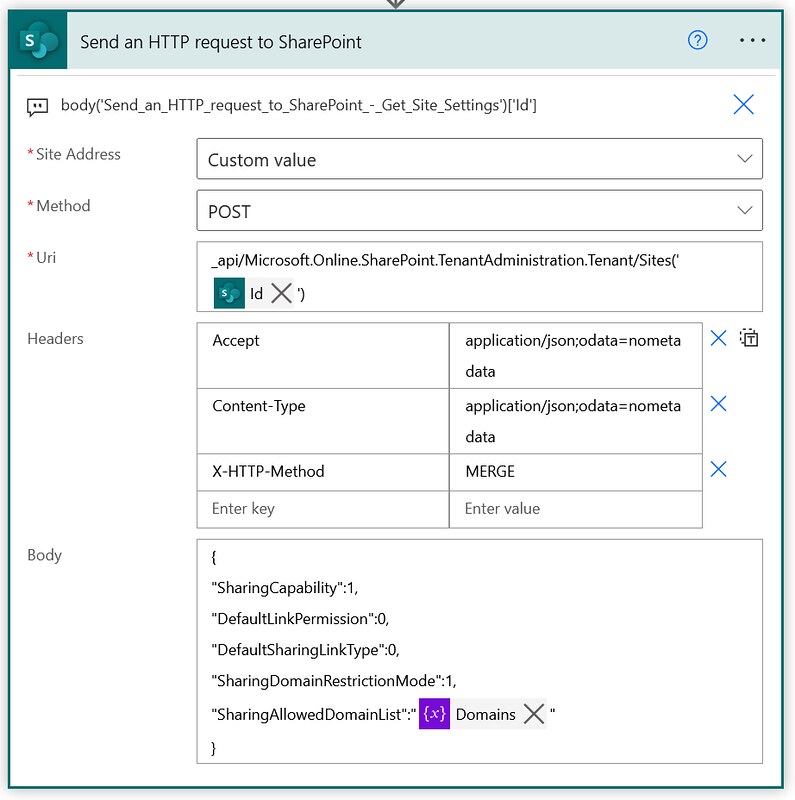
This is a note to self kind of article. I found a way of managing the allow list for external sharing of individual SharePoint Online sites via Power Automate. This example shows how you...
In SharePoint Online you can declare and undeclare records in place. In this article I am showing you how you can undeclare such a record via the Graph API and Power Automate.