How to retrieve the (custom) Document libraries of a SharePoint Online site using a Power Automate flow.
URI
Headers
Body
Not applicable
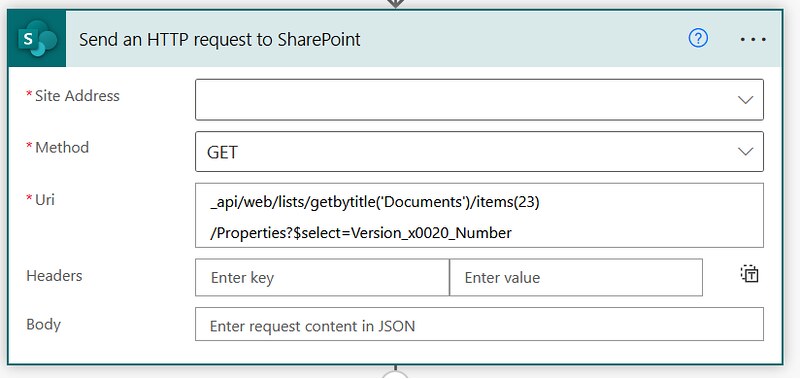
Screenshot with example
Below are a bit more details about the values used in this example. Hopefully that helps in configuring the right setup.
| Property | Value | Details |
|---|---|---|
| Site Address | https://contoso.sharepoint.com/sites/PowerUsers | Site Collection URL |

Expected response
Will return the details of the custom libraries.
Copy/paste example
Resources
Reading data with the SharePoint REST interfaceThat’s it, Happy testing!